
802.1x / RADIUS
802.1x is a port-based authentication standard: a device connected to a switch port must prove its identity before it is allowed onto the network. PrivateLAN includes a RADIUS server that handles this authentication for your switches.
RADIUS clients
Each switch that should authenticate devices via 802.1x must be registered as a RADIUS client (also called a NAS — Network Access Server):
| Field | Description |
|---|---|
| Client name | An identifier for the switch |
| IP address | The switch's management IP address |
| Netmask | The network mask for the client (or subnet of clients) |
| NAS type | The device category, used by FreeRADIUS to interpret vendor attributes |
| Shared secret | A secret used to secure communication between the switch and the RADIUS server |
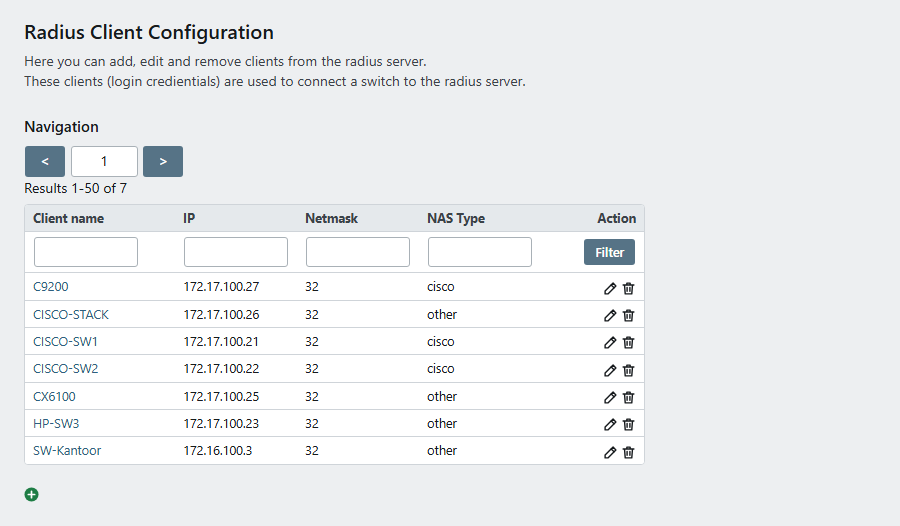
The number of RADIUS clients is not limited by your license. Whenever a client is added, changed or removed, the RADIUS server configuration is updated automatically.
Certificates
802.1x authentication relies on certificates issued by PrivateLAN's own Certificate Authority (CA). On the RADIUS configuration page you can set:
- CA certificate validity — how long the Certificate Authority certificate is valid (default 3650 days)
- Server certificate validity — how long the RADIUS server certificate is valid (default 3650 days)
- Client certificate validity — how long certificates issued to client devices are valid (default 3650 days)
- Certificate passwords — the CA and server passwords protect the private keys that stay on the appliance (internal use only). The client password protects the certificates handed to client devices and is the one you enter when importing a client certificate (PFX / P12) or using its key
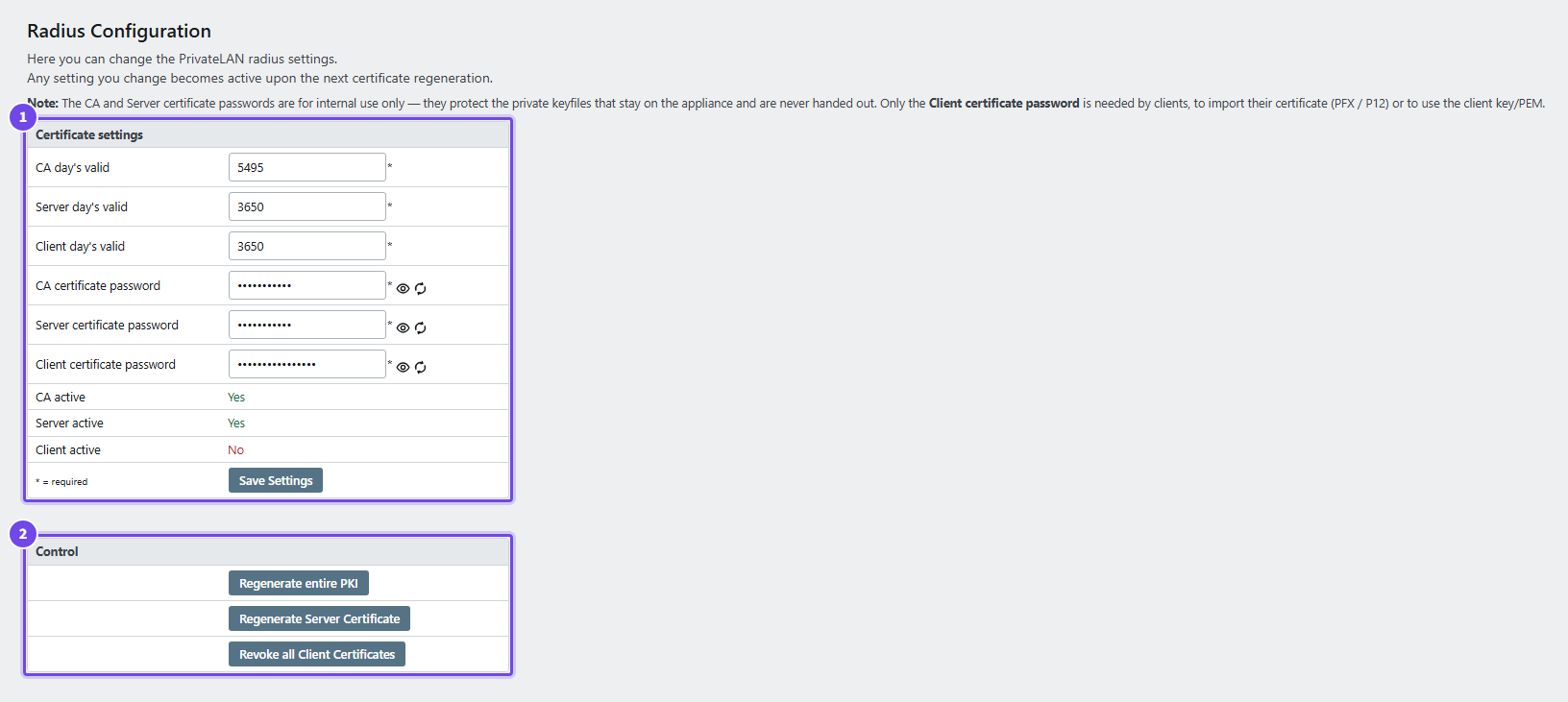
- Certificate settings — validity in days and the certificate passwords
- Control — regenerate the PKI or the server certificate, or revoke every client certificate
Use Provision to (re)generate certificates and restart the RADIUS service after changing these settings.
Every appliance gets a CA of its own. The CA that comes with the installation image is replaced automatically when the default administrator password is changed, at the same moment as the certificate of the web interface, with new random CA and server passwords (shown on the RADIUS configuration page). If client certificates were already issued by then, the appliance leaves the CA alone and you regenerate it yourself with Regenerate entire PKI.
Monitoring
The RADIUS overview page shows:
- The most recent authentication events and errors from the RADIUS log
- The status of the CA and server certificates (common name, alternative names, issue date, expiry date, and remaining validity)
- A downloadable Certificate Revocation List (CRL) listing revoked client certificates
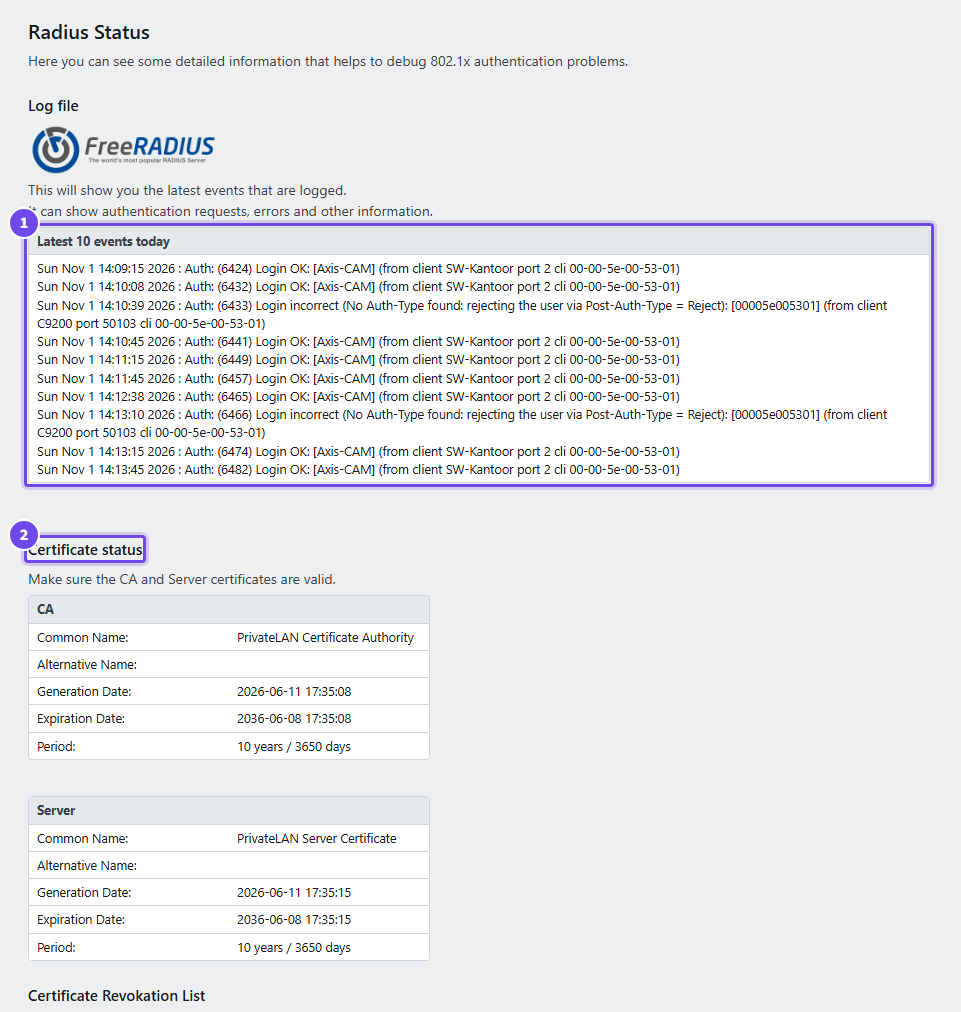
- Latest events — the most recent authentications, accepted and refused
- Certificate status — the CA and the server certificate with their dates
Every accepted login ends with (certificate <name>): the name in the client certificate for an EAP-TLS login, none for MAB and PEAP. The name between the brackets is what the device sends itself, and some devices send something unreadable there, shown as [????]; the certificate still names them, and the appliance recognises the device by it.
How it fits together
Each switch that PrivateLAN manages is registered both as a switch (see Switch Management) and, for 802.1x, as a RADIUS client using the same management IP address. The switch and the RADIUS server authenticate each other using the shared secret, while devices connecting to switch ports authenticate using certificates issued by PrivateLAN's CA.
